
Key takeaways
- Compare portable power stations for apartment backup planning, with capacity, output, ports and recharge times to keep fridges, routers and lights running.
Planning backup power for an apartment is really a decision about limits. You cannot run a fuel generator on a balcony, you may have a lease clause about what sits in a hallway closet, and the station you buy has to be carried up stairs or in an elevator before it ever powers anything. So the real question is not which unit is biggest, but which one covers your fridge, router, lights and phones for the outage lengths you actually face, then fits the corner you have cleared for it.
This guide is for renters in small flats, people in larger apartments who work from home, and anyone building a first backup plan without wiring anything into a panel. Every product below was selected from the names and specifications published on its Amazon product page, including capacity, output, ports, weight and recharge times, so the figures you plan around are the figures the listing itself states.
Quick Picks
As an Amazon Associate we earn from qualifying purchases
| Product | Best for | Key spec from title |
|---|---|---|
| BLUETTI Portable Power Station AC180 | Apartments that want a fridge plus work gear covered | 1152Wh LiFePO4 Battery Backup |
| Jackery Explorer 1000 v2 | Lighter carrying up stairs with fast refills | 1070Wh, 1500W, 1 Hr Fast Charge |
| EF ECOFLOW Portable Power Station RIVER 2 Pro | Small flats and shorter, frequent outages | 768Wh LiFePO4 Battery, 70 Min Fast Charging |
How to Choose
Start With a Load List, Not a Capacity Guess
Write down what must stay on during an outage, then add up the draw of those items before you look at any battery size. A typical apartment list might be a refrigerator, a Wi-Fi router, two LED lamps, a laptop and two phones. That combination is modest while everything idles, yet the fridge compressor raises the total each time it starts. Planning from a written list stops you buying a station that handles the lamps beautifully and then shuts down the moment the fridge and a kettle ask for power together.
Match Continuous Output to Your Hungriest Moment
Capacity in watt-hours tells you how long a station can run things, while output in watts tells you what it can start at all. The two numbers answer different questions, and apartment buyers often read only the first one. If your plan includes a microwave, an electric kettle or a portable heater, check that the combined draw of everything plugged in at once stays under the continuous output, not just under the higher peak figure. A station rated at 1800W continuous behaves very differently at breakfast time from one rated at 800W, even when their batteries look close on paper.
Plan the Recharge Before the Outage Arrives
A backup plan fails quietly when the battery is half empty on the day the grid drops. Look at the full recharge time on the listing and picture it inside your routine: a unit that refills in about an hour can be topped up between rolling outages, while a slower one needs an overnight habit. Solar input matters in apartments only if you genuinely have a sunny balcony or window spot and a panel that fits it. Otherwise, treat wall charging speed and a simple monthly top-up reminder as the parts of the plan you will actually use.
Check Weight, Footprint and Where It Will Live
Measure the closet shelf, hallway corner or space beside the router before ordering, and compare it with the dimensions on the listing rather than guessing from product photos. Weight decides whether the station stays where you planned or migrates to wherever it was last dropped. A unit around 17 to 24 pounds moves between rooms without much thought, while one in the mid-30-pound range usually gets a permanent home and extension planning around it. In a rented flat, that permanent spot also needs landlord-friendly qualities: no fuel, no exhaust and nothing hardwired.
The 3 Best Options
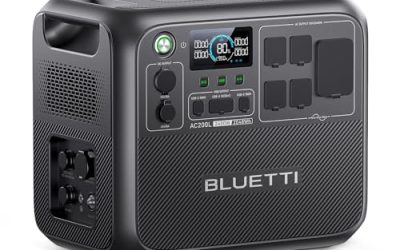
BLUETTI Portable Power Station AC180

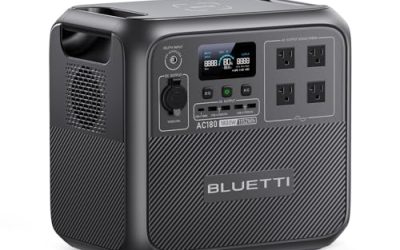
For an apartment whose backup plan centres on the refrigerator, this is the most complete of the three. Its 1800W output gives the most headroom for a fridge starting alongside a router, lamps and a laptop, and the 1152Wh battery is the largest here, which suits longer outages where you ration everything except food storage. The 20 ms UPS switchover listed on the page also helps a desktop or router ride through the changeover. At 35.3 pounds it is a place-it-once unit, so give it a fixed spot near the kitchen rather than planning to carry it room to room.
Specs
- Capacity: 1152Wh
- Battery: LiFePO4, rated 3500+ cycles on the page comparison table
- AC output: 1800W, with 2700W peak in the title
- AC outlets: 4 outlets at 120V, 1800W total
- Recharge: 0 to 80 percent in 45 minutes; full charge in 1 hour at 1440W AC input
- Solar input: 500W max, with a full solar charge listed at 2.8 to 3.3 hours
- UPS switchover: 20 ms
- Weight: 35.3 lbs
- Dimensions: 13.39 x 9.72 x 12.48 inches
Best for: Apartments planning around a fridge, a router and a home-working setup through a long outage.
Watch out for: It is the heaviest pick here, so measure your storage spot and think twice if stairs are part of every trip.
ASIN: B0C1SMJTDT
Jackery Explorer 1000 v2

Anyone who has to haul backup power up several flights will feel the difference this model makes. At 23.8 pounds it is far easier to carry than the BLUETTI, while still offering 1070Wh of capacity and 1500W of output, enough for a fridge cycled carefully, lighting, a laptop and phones. The charging story is flexible too: a one-hour emergency charge through the app when time is short, or the slower default mode the listing describes as better for battery health. Three AC ports cover the essentials, and the 100W USB-C output charges a laptop without its own brick taking a socket.
Specs
- Capacity: 1070Wh
- Battery: LiFePO4, holding over 70 percent of capacity after 4000 charge cycles
- AC output: 1500W, with 3000W surge peak
- Ports: 3 pure sine wave AC ports, 2 USB-C ports, 1 USB-A port, 1 DC car port
- USB-C output: 100W max
- Total power outlets: 7
- Recharge: 1 hour with emergency charging via the app; 1.7 hours in the default mode
- Weight: 23.8 lbs
- Dimensions: 12.87 x 8.82 x 9.72 inches
Best for: Renters who must carry their station up stairs and still want fridge-level capacity.
Watch out for: Solar charging is limited to Jackery panels according to the listing, and the solar panel is not included.
ASIN: B0D7PPG25F
EF ECOFLOW Portable Power Station RIVER 2 Pro

Smaller flats with shorter, more frequent outages may never need a kilowatt-hour of storage, and that is where this EcoFlow earns its place. The 768Wh battery still runs a router, lights, phones and a laptop for a long stretch, and at 17.2 pounds it tucks beside a desk or into a cupboard without rearranging the room. Its standout figure is the 70-minute full recharge, the fastest refill routine here relative to size, which makes topping up between outage windows simple. Four AC outlets give more plug-in flexibility than many stations of this weight, though the 800W continuous output asks for discipline with kitchen appliances.
Specs
- Capacity: 768Wh
- Battery: LiFePO4, rated for more than 3000 cycles before hitting 80 percent
- AC output: 800W, with X-Boost up to 1600W
- AC outlets: 4
- Total outlets: 11
- Recharge: full charge in 70 minutes using AC with X-Stream fast charging
- Solar recharge: as fast as 3.5 hours with 220W solar input
- Weight: 17.2 lbs
- Included: RIVER 2 Pro, AC charging cable and user manual
Best for: Small apartments facing short outages who value fast recharging and easy storage.
Watch out for: The 800W continuous output is the lowest here, so a kettle or microwave cannot share the station with much else.
ASIN: B0BVLPGS79
Which One Fits Your Situation
Your Fridge Is the One Load You Refuse to Lose
Choose the BLUETTI AC180. Food storage is the load that turns an outage from an inconvenience into a cost, and this pairing of the largest battery here with the highest continuous output is built for exactly that priority. Park it near the kitchen, keep the router on it as well, and let smaller devices share whatever capacity remains after the fridge has been looked after.
You Live Upstairs and Everything Arrives by Hand
Choose the Jackery Explorer 1000 v2. A backup plan you dread moving is a plan that ends up stored in the wrong place, and at 23.8 pounds with a foldable handle this unit stays realistic for stairs and elevators. You give up some output and a little capacity compared with the BLUETTI, yet you keep fridge capability and gain a one-hour emergency recharge when a storm warning leaves little preparation time.
Your Outages Are Frequent but Usually Brief
Choose the EF ECOFLOW RIVER 2 Pro. When the grid drops for an hour or two at a time, the winning features are a battery that refills in 70 minutes and a body light enough to live beside the router permanently. It will not carry a power-hungry kitchen routine, but for lights, connectivity, laptops and phones through short interruptions it matches the pattern of your outages better than a larger, slower station would.
You Work From Home and Cannot Drop a Call
Start with the BLUETTI AC180 if a desktop is involved, because the page lists a 20 ms UPS switchover and the output headroom keeps a monitor and computer comfortable together. If your work setup is only a laptop and a router, the RIVER 2 Pro covers it with capacity to spare and recharges faster afterwards. Either way, plug the router in first when the lights flicker; connectivity is the load remote workers miss soonest.
Safety Notes for Apartment Power Station Use
Keep the station on a dry, level surface with open air around it whenever it is charging or running heavier loads, and never cover its vents with blankets, cushions or stored clothing, since blocked airflow lets heat build up exactly when the unit is working hardest. Charge it indoors in the open rather than inside a sealed cupboard, and keep it away from sinks, balconies in the rain and any source of splashing water.
Store the battery within the temperature range the manufacturer states on the product page; the Jackery listing in this guide, for example, gives a charge temperature of 0 to 45 degrees Celsius. Avoid leaving any station in a hot car or a freezing storage unit for long periods, and top it up on a regular schedule instead of letting it sit empty for months. Before each use, look over the charging cable and plugs for cuts, bent pins or scorch marks, and stop using a damaged cable rather than taping it. Never open the casing or attempt to service the battery pack yourself; if the unit is swollen, unusually hot, noisy or smells odd, unplug it, move away and contact the manufacturer. This guide makes no certification claim for any specific model, so check the individual Amazon listing if a particular certification matters to your building rules.
Common Mistakes
- Sizing the battery from the fridge alone and forgetting the router, lights and laptops that run at the same time
- Reading the peak watt figure as if it were the continuous output the station can sustain
- Buying solar panels for an apartment with no usable sunny spot to place them in
- Storing the station completely empty for months, then expecting a full battery on outage day
- Choosing a unit too heavy to carry upstairs, so it never reaches the flat it was bought for
Frequently Asked Questions
How long will one of these stations run an apartment fridge?
It depends on the fridge and how full the battery starts, so plan with the formula the BLUETTI page itself prints: working time is roughly the capacity multiplied by 0.85, divided by the device draw in watts. A larger station such as the 1152Wh AC180 stretches that maths furthest, especially if the fridge is the main load and the door stays closed as much as possible during the outage.
Can I use a portable power station in a rented apartment?
Generally yes, because these units run indoors without fuel or exhaust, which is why apartment planners choose them over fuel generators. Your lease and building rules still govern where you store and charge one, so check anything about batteries in shared spaces. Nothing in this guide involves wiring a station into your panel; every pick simply plugs into a wall outlet to recharge and powers devices through its own sockets.
Should I buy the biggest capacity I can afford?
Not automatically. Capacity you cannot store, carry or keep charged is wasted planning, and a very large station that lives in an awkward place tends to be empty when needed. Match the battery to your written load list and your typical outage length instead. Many renters do better with a mid-size unit kept topped up than with a bigger one bought for a worst case that rarely happens.
How often should I recharge the station while it sits in storage?
Build a routine rather than relying on memory: check the charge level monthly and top the unit up whenever it has dropped noticeably, following any storage guidance on its Amazon listing or manual. A station that is checked regularly also gets its cables inspected regularly, which catches damage early. Put the reminder on the same day as another household task so the backup plan stays part of normal apartment life.
FAQ
How long will one of these stations run an apartment fridge?
Can I use a portable power station in a rented apartment?
Should I buy the biggest capacity I can afford?
How often should I recharge the station while it sits in storage?
More from Amazon
Programs that pair well with the guide above. Offers and eligibility are set by Amazon and may change.
Free shipping on eligible items, Prime Video and more. Eligible new members can start with a free trial.
Start a Prime free trialAudiobooks and podcasts to listen to on the go. Eligible new members can start with a free trial.
Try Audible freeAd-free music streaming. Eligible new subscribers can start with a free trial.
Try Music Unlimited freeA free business account with business pricing and bulk-buying tools for work, shop or home office.
Create a business accountAs an Amazon Associate we earn from qualifying purchases.



Write Your Review
No reviews yet. Be the first to share your experience!